logo logo
  • Request Support
  • Awesome template
  • Purchase Now

ChatenAI Navigation

  • ChatenAIGetting Started
    • What's Included
    • How to Install ChatenAI Website Templates
  • briefcaseTemplate Structures
    • HTML Structure
    • CSS Files and Structure
    • Javascript Files
  • ChatenAIChange Contents
    • Changing Images
    • Changing Brand Logo
    • Changing Colors
  • ChatenAIHeader
    • Header Default
    • Header Transparent
    • Dashboard Header
  • ChatenAIElements
    • Button
    • Style Guide
    • User Guide
    • Toolsbar On Modal
    • Left Sidebar
    • Right Sidebar
    • Brand
  • ChatenAIFooter
    • Footer Default
  • ChatenAISources and Credits
  • ChatenAIChange Log
  • ChatenAISupport

ChatenAI PHP Documentation


Welcome to ChatenAI ! Get familiar with the Stripe products and explore their features:

ChatenAI
Working with Doc

You can any work by following our docs

ChatenAI
Formatting Content

Our content is more formating for your website

ChatenAI
Perfect Responsive

Our Template is full Perfect for all device. You can visit our template all device easily.

ChatenAI
Sass Available

The tamplate has Sass available for css. You can Change css by sass

ChatenAI
Fast Loading Speed

ChatenAI is faster loading speed. ChatenAI create your template so much faster

ChatenAI
24 Support System

We are provide 24 hours support for all clients.You can purchase without hesitation.

Getting Started

Welcome to chatenai ! Get familiar with the Stripe products and explore their features:

Unlock the potential of ChatenAI, your go-to Modern PHP & Bootstrap Template for cutting-edge AI Conversations. Built on PHP and Bootstrap5, this template boasts a component-based structure, ensuring a developer-friendly and streamlined experience. With a contemporary design and swift loading capabilities, it transforms the landscape of AI-driven interactions. Explore a diverse range of pages, including Home Default, Dashboard and various other essential inner or details pages. Elevate your web presence with ChatenAI innovation meets seamless user experience.

ChatenAI Core Features

  • Built with PHP
  • Sass Available
  • Responsive layout (desktops, tablets, mobile devices)
  • Built with Bootstrap v5.0.2
  • Well structured code
  • Contact Form Working
  • Hinted Typography
  • W3 Valid 100%
  • Fast Loading Speed
  • Cross Browser Support
  • Dedicated Support, Lifetime Updates
  • And much more …

What's Included

After purchasing ChatenAI template on templateforest.net with your Envato account, go to your Download page. You can choose to download ChatenAI template only or the entire ChatenAI template package which contains the following files:

  1. ChatenAI template: A comprehensive .zip file containing all essential files and assets
  2. Documentation: An HTML format documentation.
  3. Licensing.

How to Install PHP ChatenAI Templates

1. Install PHP

If you're using XAMPP, WAMP, or MAMP, PHP should already be included. Make sure your server environment (Apache, Nginx, etc.) is configured to work with PHP. If PHP is not installed, you can download it from the official PHP website.

2. Download and Extract the Zip File:

Download the zip file containing all files integrated with ChatenAI. Extract the contents of the zip file to your desired location.

3. Install Node Modules for SASS Compilation

Open your command prompt or terminal, navigate to the directory where you extracted the ChatenAI project, and run npm install to install Node modules.

4. Generate CSS using SASS compiler

To generate CSS from SCSS, execute the command: npm run build
If you want to run compiler in watch mode run: npm run dev
If you want to generate a minified version, run: npm run minify

5. Running the PHP Application

Start your PHP server. If you're using XAMPP, WAMP, or MAMP, start Apache. Navigate to localhost in your web browser and specify the port number if necessary (e.g.,http://localhost:{{PORT}}).

6. Editing ChatenAI Template

Before all that you have to edit your template and place your own contents by replacing old demo contents, in this case, you will need a code editor such as – VScode, Sublime Text etc.

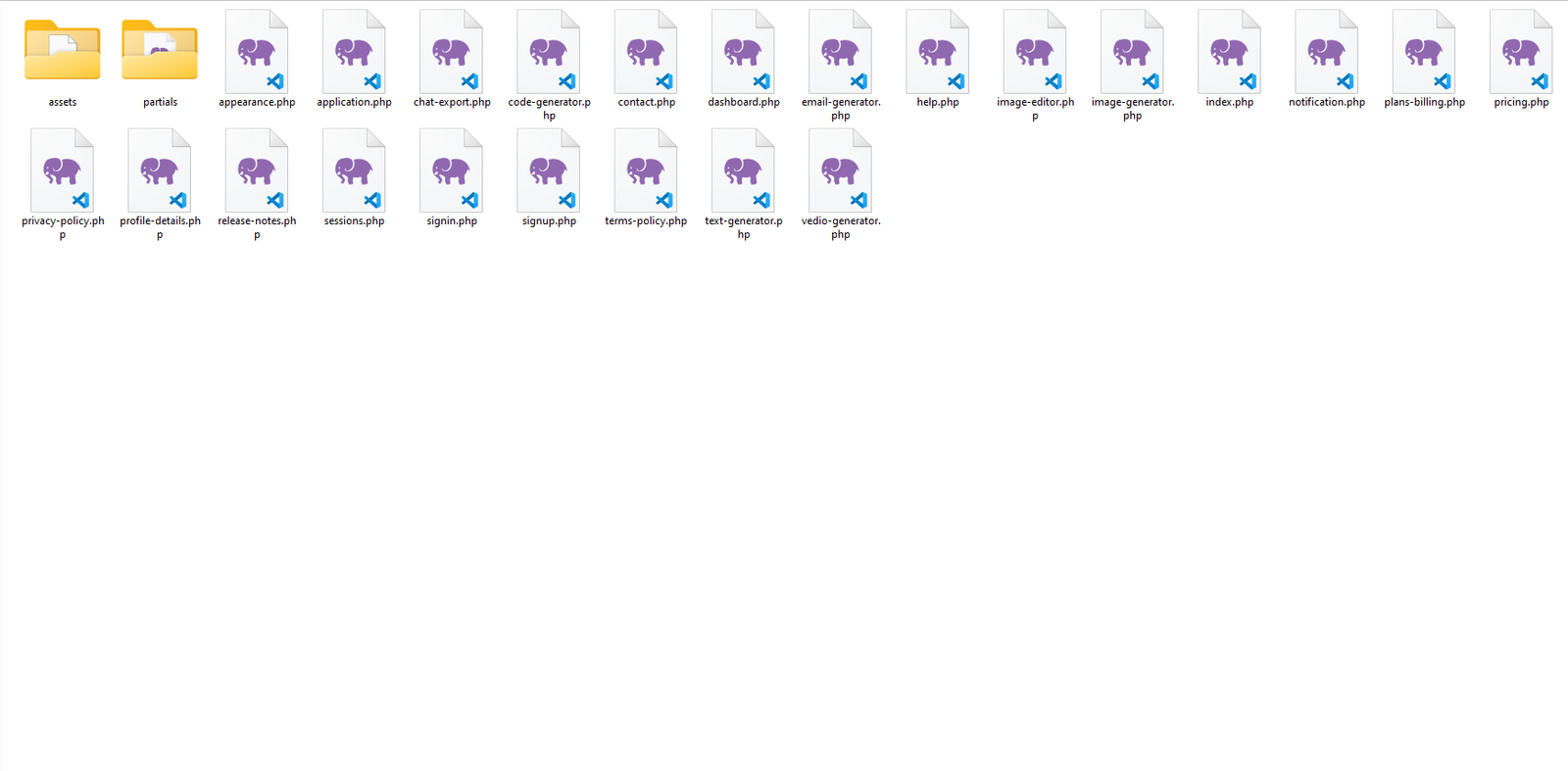
7. Package comes with documentation unzip the download package, you’ll found a folder with all template files, like above screenshot.
Home Page

Template Structures

Articles

  • PHP File Structure
  • CSS Files and Structure
  • JavaScript Files

Layout Structure

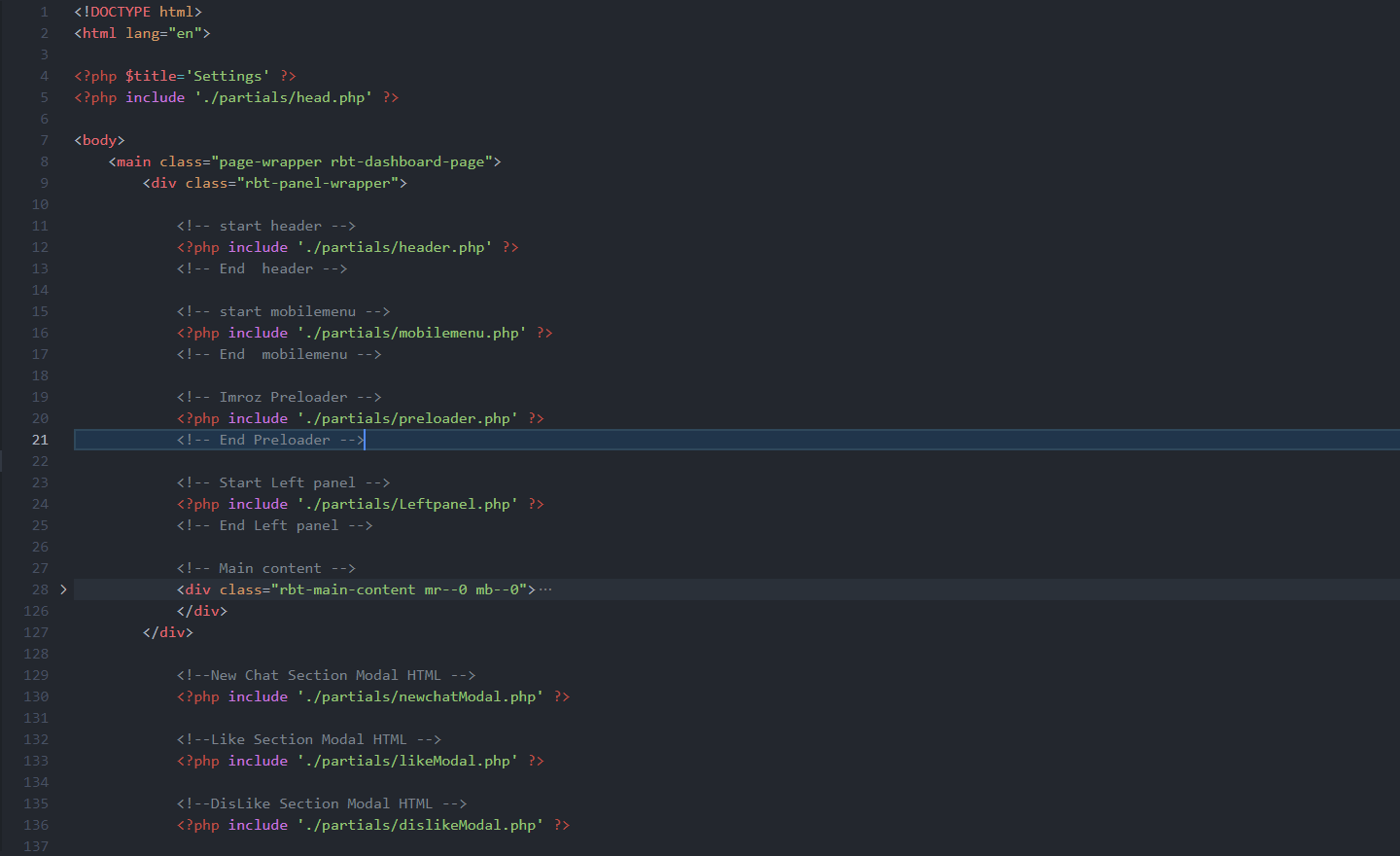
This template is a fixed layout with four columns. The main contents are inside the 'body' tag divided into differt section (i.e. header, banner, services,... footer etc.). The general template structure is the same throughout the template. Here is the layout structure.

Images
                                                                                               
                                                    
                                                <!DOCTYPE html>
                                                    <html lang="en">

                                                    <?php $title='Settings' ?>
                                                    <?php include './partials/head.php' ?>

                                                    <body>
                                                        <main class="page-wrapper rbt-dashboard-page">
                                                            <div class="rbt-panel-wrapper">

                                                                <!-- start header -->
                                                                <?php include './partials/header.php' ?>
                                                                <!-- End  header -->

                                                                <!-- start mobilemenu -->
                                                                <?php include './partials/mobilemenu.php' ?>
                                                                <!-- End  mobilemenu -->
                                                                
                                                                <!-- Imroz Preloader -->
                                                                <?php include './partials/preloader.php' ?>
                                                                <!-- End Preloader -->
                                                                
                                                                <!-- Start Left panel -->
                                                                <?php include './partials/Leftpanel.php' ?>
                                                                <!-- End Left panel -->

                                                                <!-- Main content -->
                                                                <div class="rbt-main-content mr--0 mb--0">
                                                                    .....     
                                                                </div>
                                                            </div>

                                                                <!--New Chat Section Modal HTML -->
                                                                <?php include './partials/newchatModal.php' ?>

                                                                <!--Like Section Modal HTML -->
                                                                <?php include './partials/likeModal.php' ?>

                                                                <!--DisLike Section Modal HTML -->
                                                                <?php include './partials/dislikeModal.php' ?>

                                                                <!--Share Section Modal HTML -->
                                                                <?php include './partials/shareModal.php' ?>

                                                        </main>

                                                                <!-- start script -->
                                                                <?php include './partials/script.php' ?>
                                                                <!-- End  script -->
                                                                
                                                    </body>

                                                    </html>


CSS Files and Structure

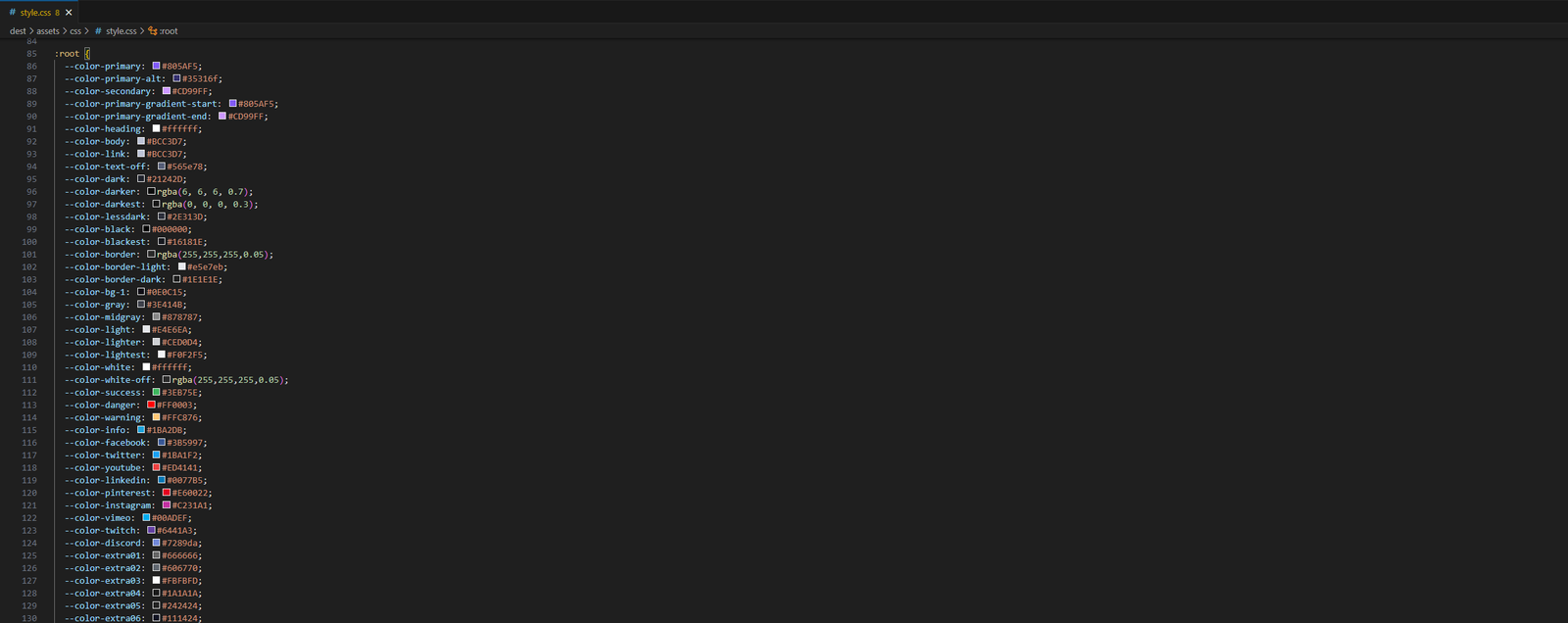
We are using one customed CSS files (style.css) and several vendor css files. CSS file structure is as follows:

HTML Images
                                                
                                                    /**************************************
                                                    Template Name: ChatenAI Modern PHP & Bootstrap Template for AI Conversations
                                                    Description: A perfect Template For AI Conversations. It comes with nice and clean design.
                                                    Note: This is style css.  
                                                    ****************************

                                                    /--- Default Styles -----/

                                                    01.Variables
                                                    02.Mixins
                                                    03.Reset
                                                    04.Typography
                                                    05.Extend
                                                    06.Animations
                                                    07.Shortcode
                                                    08.Spacing
                                                    09.Common
                                                    10.Forms
                                                    11.Sal
                                                    12.Text Animation
                                                    13.Themebg

                                                    /--- Header Styles -----/

                                                    01.Headerdefault
                                                    02.Nav
                                                    03.Header Top
                                                    04.HeaderTopBar
                                                    05.Mobilemenu

                                                    /--- Elements -----/

                                                    01.Breadcrumb
                                                    02.Sectiontitle
                                                    03.Button
                                                    04.Service
                                                    05.Card
                                                    06.Counter
                                                    07.Progressbar
                                                    08.styleguide
                                                    09.Social Share
                                                    10.Team
                                                    11.Portfolio
                                                    12.Testimonial
                                                    13.Slickslide
                                                    14.Timeline
                                                    15.Call to Action
                                                    16.Tab
                                                    17.Pricing
                                                    18.Split
                                                    19.Vedio
                                                    20.Gallery
                                                    21.Contact
                                                    22.Brand
                                                    23.404
                                                    24.Advance Tab
                                                    25.Advancepricing
                                                    26.Contact Form
                                                    27.Swicher
                                                    28.Backto Top
                                                    29.About
                                                    30.Newsletter

                                                    /--- Blog -----/
                                                    01.Blog
                                                    02.Sidebar
                                                    03.Blog Details

                                                    /--- Footer -----/
                                                    01.Footer
                                                    02.Copyright

                                                    /--- Template -----/
                                                    01.Banner
                                                    02.Portfoliodetails
                                                    03.Splash
                                                    04.Lightmode

                                                    ***************************************/
                                                      |___ END STYLESHEET INDEXING
                                                    ***************************************************************/


JavaScript Files

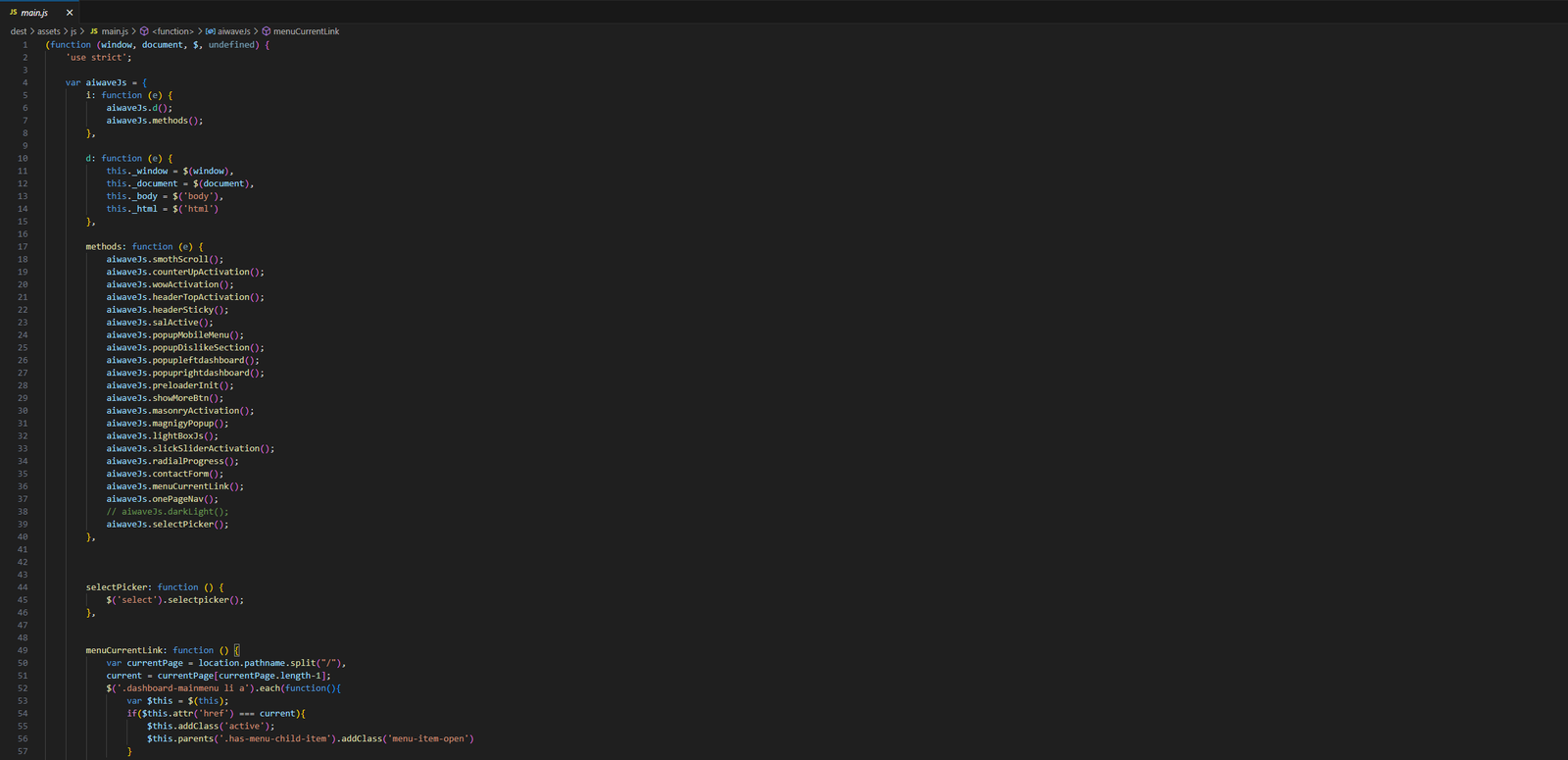
There is a custom .js file named main.js and are several vendor js files as plugins. We are using jQuery(a javascript library) instead of vanilla javascript. Our file structure is a follows:

HTML Images

Change Contents

  • Changing Images
  • Changing Brand Logo
  • Changing Email Settings of the Contact Form

Changing Images

To change any images of the website

  1. Carefully collect the source name of the image (i.e. banner-img.jpg)
  2. Open the file called images.
  3. Find the particular image file.
  4. Replace the file with your image.
  5. Make sure that the file name does not change.The file name should be the same.

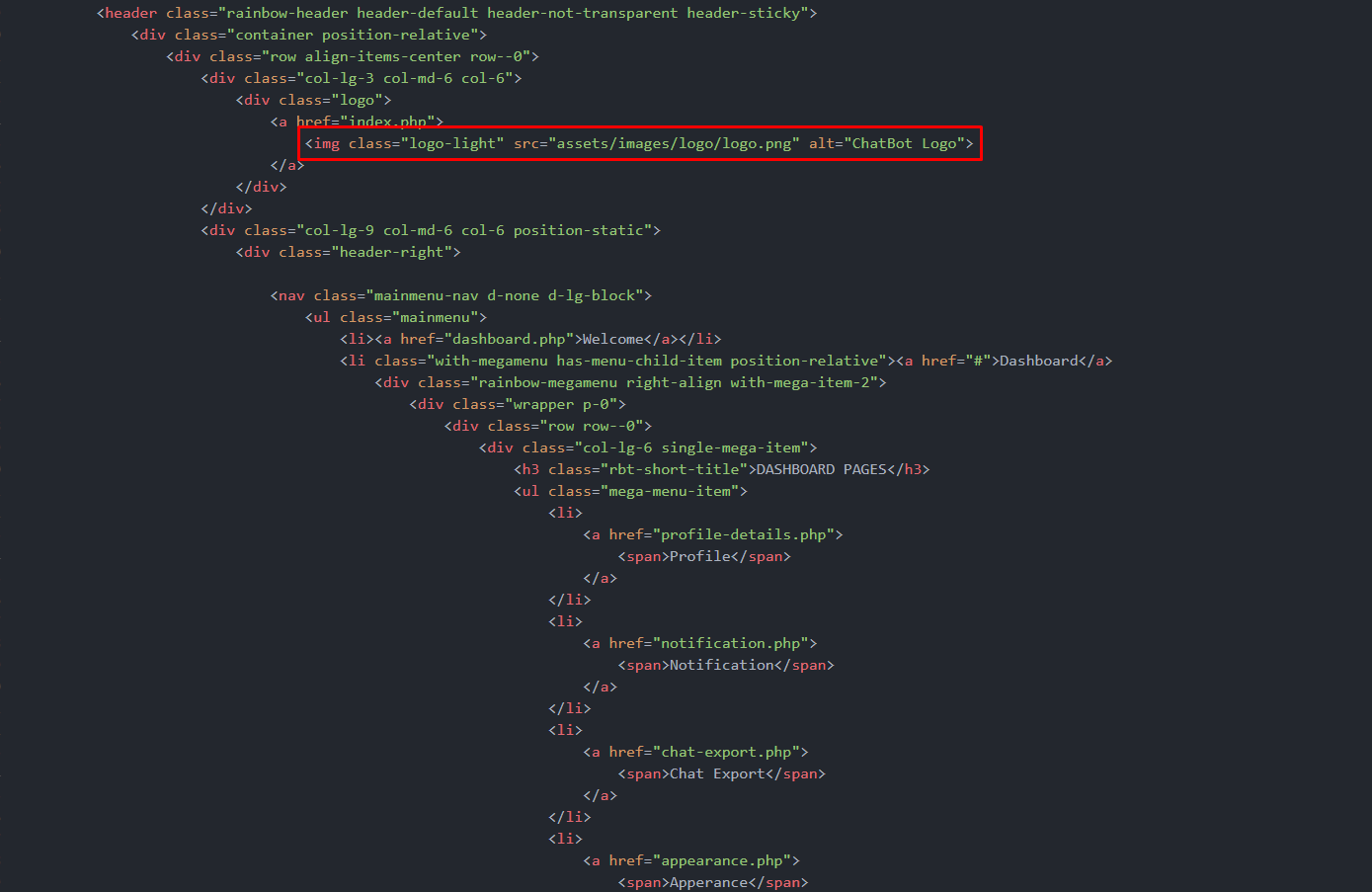
Example: Suppose you want to change the following image file:

                                                        
                                                            <div class="logo">
                                                                <a href="index.html">
                                                                    <img class="logo-light" src="assets/images/logo/logo.png" alt="ChatBot Logo">
                                                                </a>
                                                            </div>
                                                        
                                                    
HTML Images

You have to do the following to change this image with your own image:

  1. Open the file called images.
  2. Find the particular image file called banner-img.jpg
  3. Replace the file with your image
  4. Make sure that the file name does not change.
Note

Images seen in the live preview are only set for preview purposes. They are not included in the download files.

Changing Brand Logo

To change any images of the website
  1. Carefully collect the source name of the image (i.e. banner-img.jpg)
  2. Open the file called images.
  3. Find the particular image file.
  4. Replace the file with your image.
  5. Make sure that the file name does not change.The file name should be the same.

Example: Suppose you want to change the following image file for change your logo:

                                                        
                                                            <div class="logo">
                                                                <a href="index.html">
                                                                    <img class="logo-light" src="assets/images/logo/logo.png" alt="ChatBot Logo">
                                                                </a>
                                                            </div>
                                                        
                                                    
HTML Images

Changing Colors

We have used scss for this project to write css. If you are familiar with scss you should customize only the .scss files. Please make sure you compile the style.scss file after you have made changes in any of the .scss files.

  • Changing default template colors

Changing default template colors

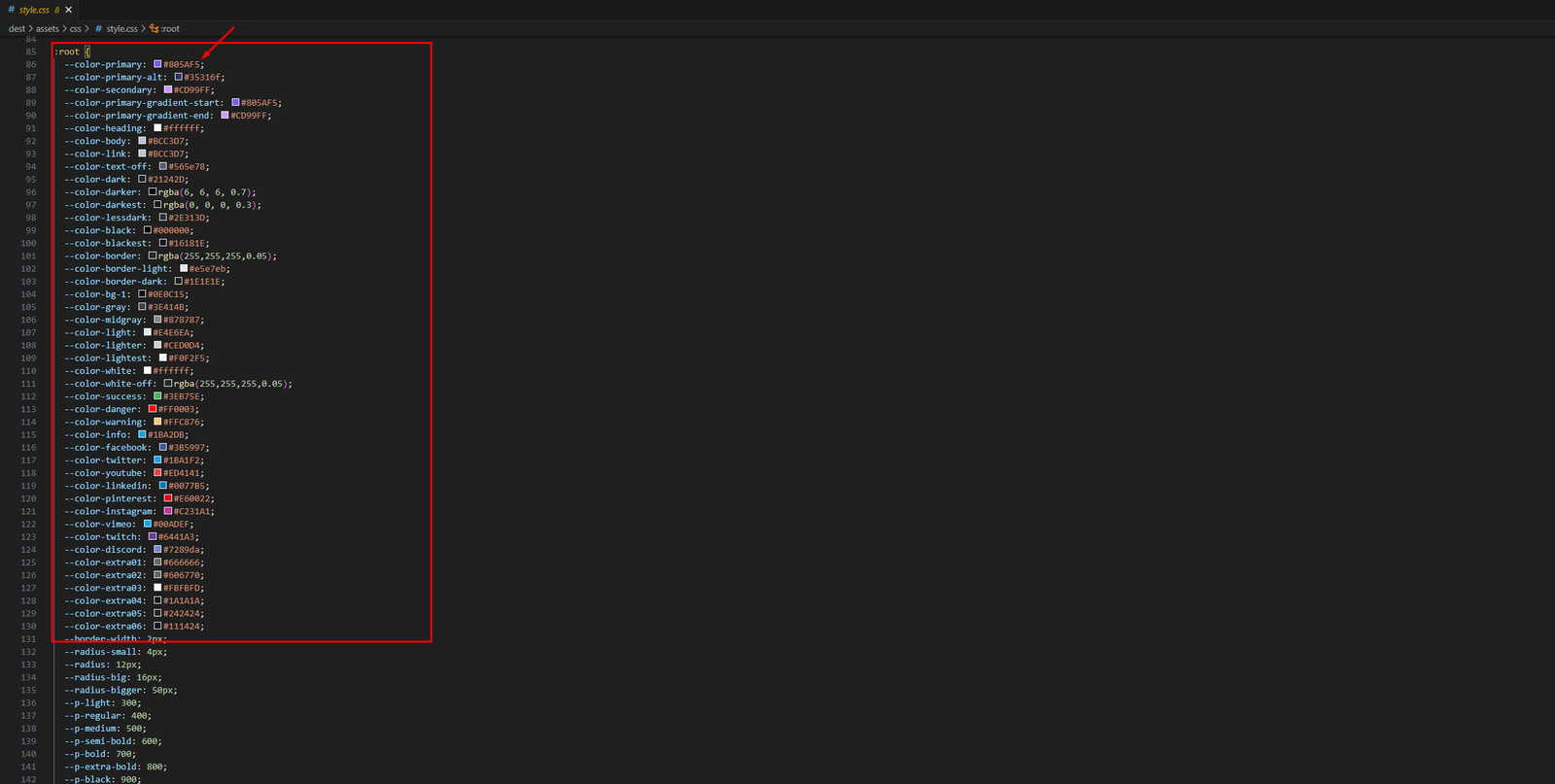
  1. Open the variable.scss file from assets > scss > defaults folder with a text-editor.
  2. Change the right-side values of the variables to change any default colors of your site.
  3. Save your file.

Have a look at the following image for a visual description:

Images

Header Types

Welcome to ChatenAI Header Elements! You can choose 12 Types of header package for createing you website.

01. Header Default

To change any images of the website

Images

                                                        
                                                             <header class="rbt-dashboard-header rainbow-header header-default header-left-align rbt-fluid-header">
                <div class="container-fluid position-relative">
                    <div class="row align-items-center">
                        <div class="col-lg-2 col-md-6 col-7">
                            .....     .....     .....
                        </div>
                        </div>
                        <div class="col-lg-10 col-md-6 col-5">
                            <div class="header-right">

                                <nav class="mainmenu-nav d-none d-lg-block text-center">
                                    .....     .....     .....
                                </nav>

                                <div class="header-btn d-none d-md-block">
                                    .....     .....     .....
                                </div>

                                <!-- Start Mobile-Menu-Bar -->
                                <div class="mobile-menu-bar mr--10 ml--10 d-block d-lg-none">
                                    .....     .....     .....
                                </div>
                                <!-- Start Mobile-Menu-Bar -->

                                <!-- Start Tools Area -->
                                <div class="mainmenu-nav d-none d-lg-block one-menu">
                                    .....     .....     .....
                                </div>
                                <!-- End Tools Area -->

                                <!-- Start admin Area  -->
                                <div class="account-access rbt-user-wrapper right-align-dropdown">
                                    .....     .....     .....
                                </div>
                                <!-- Start admin Area  -->

                                <div class="expand-btn-grp <?php echo (isset($visibility) ? $visibility  : 'd-none' )?> ">
                                    .....     .....     .....
                                </div>
                                
                            </div>
                        </div>
                    </div>
                </div>
            </header>


02. Header With Topbar

Header with topbar and navigation menu to change your header area.

Images

                                                        
                                                            <!-- start header -->
        <header class="rainbow-header header-default header-not-transparent header-sticky">
            <div class="container position-relative">
                <div class="row align-items-center row--0">
                    <div class="col-lg-3 col-md-6 col-6">
                       .....     .....     .....
                        <div class="logo">
                            <a href="index.php">
                                <img class="logo-light" src="assets/images/logo/logo.png" alt="ChatBot Logo">
                            </a>
                        </div>
                    </div>
                    <div class="col-lg-9 col-md-6 col-6 position-static">
                        <div class="header-right">

                            <nav class="mainmenu-nav d-none d-lg-block">
                                <ul class="mainmenu">
                                    .....     .....     .....
                                </ul>
                            </nav>

                            <!-- Start Header Btn  -->
                            <div class="header-btn">
                              .....     .....     .....
                                <a class="btn-default btn-small round" target="_blank" href="text-generator.php">Get Started Free</a>
                            </div>
                            <!-- End Header Btn  -->

                            <!-- Start Tools Area -->
                            <div class="mainmenu-nav d-none d-lg-block one-menu">
                                .....     .....     .....
                            </div>
                            <!-- End Tools Area -->

                            <!-- Start Mobile-Menu-Bar -->
                            <div class="mobile-menu-bar ml--5 d-block d-lg-none">
                                .....     .....     .....
                            </div>
                            <!-- Start Mobile-Menu-Bar -->
                        </div>
                    </div>
                </div>
            </div>
        </header>
        <!-- End  header -->


03. Dashboard Header

Header with ceneter navigation menu to change your header area.

Images

                                                        
                                                            <header class="rbt-dashboard-header rainbow-header header-default header-left-align rbt-fluid-header">
                <div class="container-fluid position-relative">
                    <div class="row align-items-center">
                        <div class="col-lg-2 col-md-6 col-7">
                            .....     .....     .....
                        </div>
                        </div>
                        <div class="col-lg-10 col-md-6 col-5">
                            <div class="header-right">

                                <nav class="mainmenu-nav d-none d-lg-block text-center">
                                    .....     .....     .....
                                </nav>

                                <div class="header-btn d-none d-md-block">
                                    .....     .....     .....
                                </div>

                                <!-- Start Mobile-Menu-Bar -->
                                <div class="mobile-menu-bar mr--10 ml--10 d-block d-lg-none">
                                    .....     .....     .....
                                </div>
                                <!-- Start Mobile-Menu-Bar -->

                                <!-- Start Tools Area -->
                                <div class="mainmenu-nav d-none d-lg-block one-menu">
                                    .....     .....     .....
                                </div>
                                <!-- End Tools Area -->

                                <!-- Start admin Area  -->
                                <div class="account-access rbt-user-wrapper right-align-dropdown">
                                    .....     .....     .....
                                </div>
                                <!-- Start admin Area  -->

                                <div class="expand-btn-grp <?php echo (isset($visibility) ? $visibility  : 'd-none' )?> ">
                                    .....     .....     .....
                                </div>
                                
                            </div>
                        </div>
                    </div>
                </div>
            </header>


All Elemnts and Shortcode Types


Welcome to ChatenAI Elements and Shortcode! You can select any elements & shortcode and customize easily and build your website.

Buttons

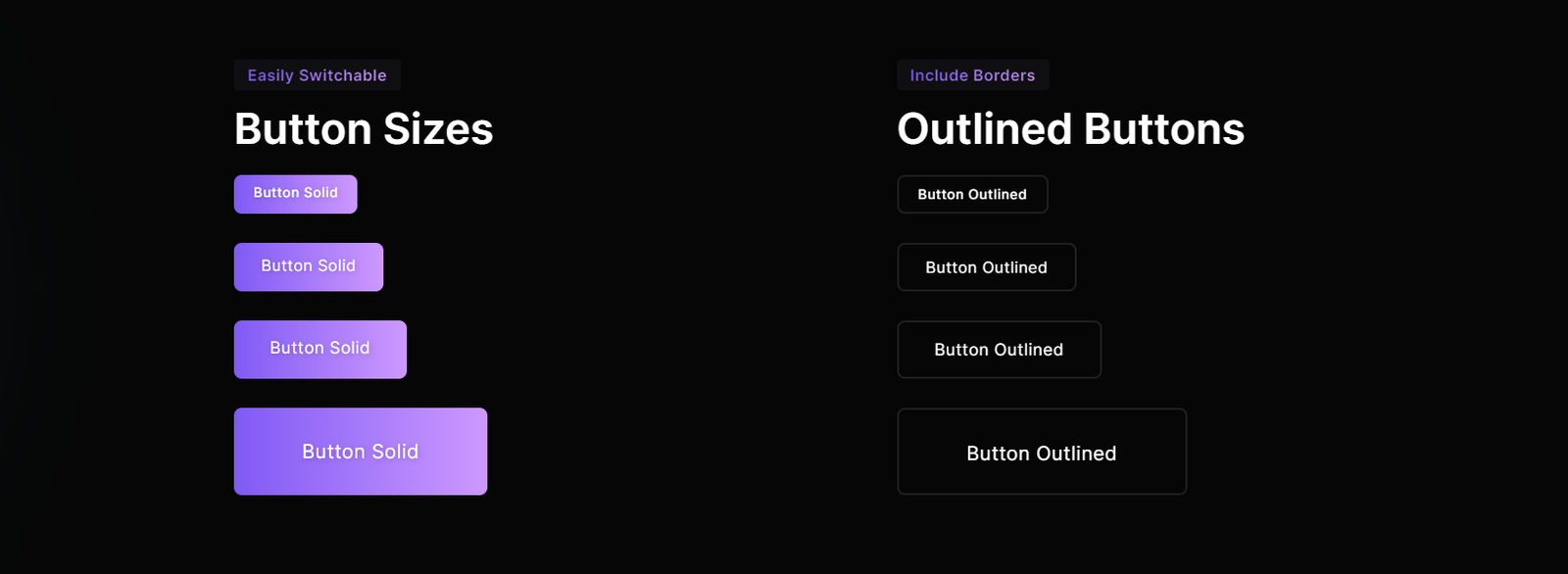
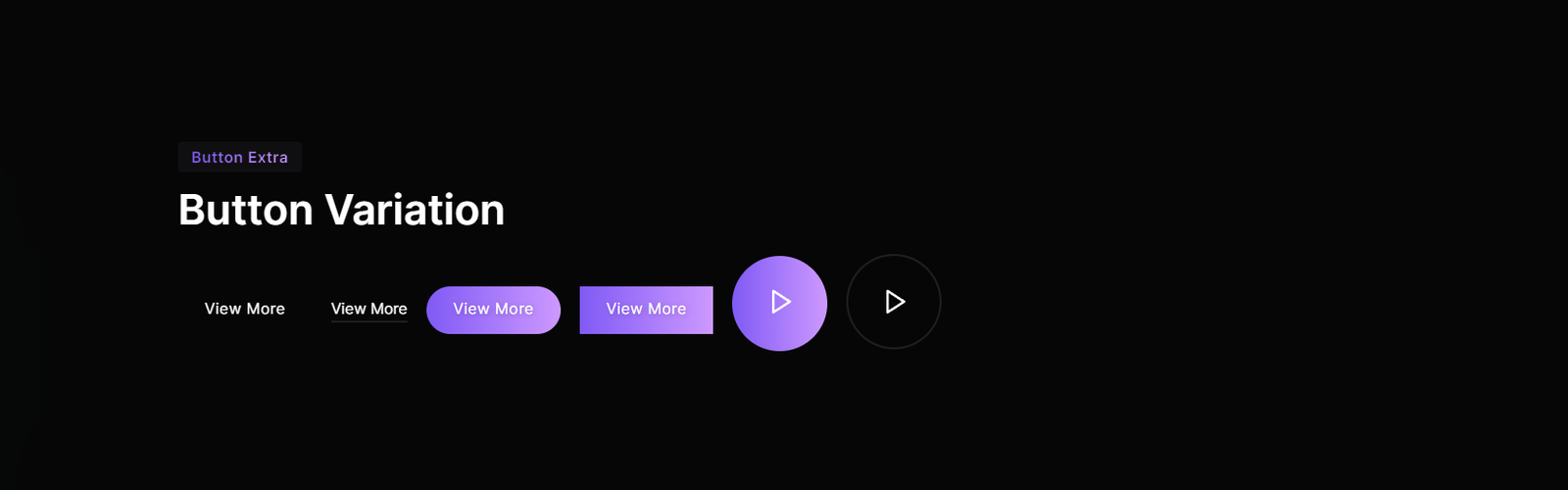
This the button classes on an <a> and <button> element and create various button.

Images

                                                        
                                                            <!-- Start Buttons  -->
                                                            <a class="btn-default btn-small" href="#">Button Solid
                                                                <i class="feather-arrow-right"></i>
                                                            </a>
                                                            <a class="btn-default btn-medium" href="#">Button Solid
                                                                <i class="feather-arrow-right"></i>
                                                            </a>
                                                            <a class="btn-default btn-large" href="#">Button Solid
                                                                <i class="feather-arrow-right"></i>
                                                            </a>
                                                            <a class="btn-default btn-extra-large" href="#">Button Solid
                                                                <i class="feather-arrow-right"></i>
                                                            </a>
                                                            <!-- End Buttons  -->


                                                            <!-- Start Buttons  -->
                                                            <a class="btn-default btn-border btn-small" href="#">Button Solid
                                                                <i class="feather-arrow-right"></i>
                                                            </a>
                                                            <a class="btn-default btn-border btn-medium" href="#">Button Solid
                                                                <i class="feather-arrow-right"></i>
                                                            </a>
                                                            <a class="btn-default btn-border btn-large" href="#">Button Solid
                                                                <i class="feather-arrow-right"></i>
                                                            </a>
                                                            <a class="btn-default btn-border btn-extra-large" href="#">Button Solid
                                                                <i class="feather-arrow-right"></i>
                                                            </a>
                                                            <!-- End Buttons  -->


Images

                                                        
                                                            <!-- Start Buttons  -->
                                                            <a class="btn-default text-underline" href="#">
                                                                <span>View More</span>
                                                            </a>
                                                            <a class="btn-read-more" href="#"><span>View More</span></a>
                                                            <a class="btn-default round" href="#">
                                                                <span>View More</span>
                                                            </a>
                                                            <a class="btn-default square" href="#">
                                                                <span>View More</span>
                                                            </a>
                                                            <a class="btn-default rounded-player popup-video" href="https://www.youtube.com/watch?v=tj9-MGHCs38">
                                                                <span><i class="feather-play"></i></span>
                                                            </a>
                                                            <a class="btn-default rounded-player popup-video border" href="https://www.youtube.com/watch?v=tj9-MGHCs38">
                                                                <span><i class="feather-play"></i></span>
                                                            </a>


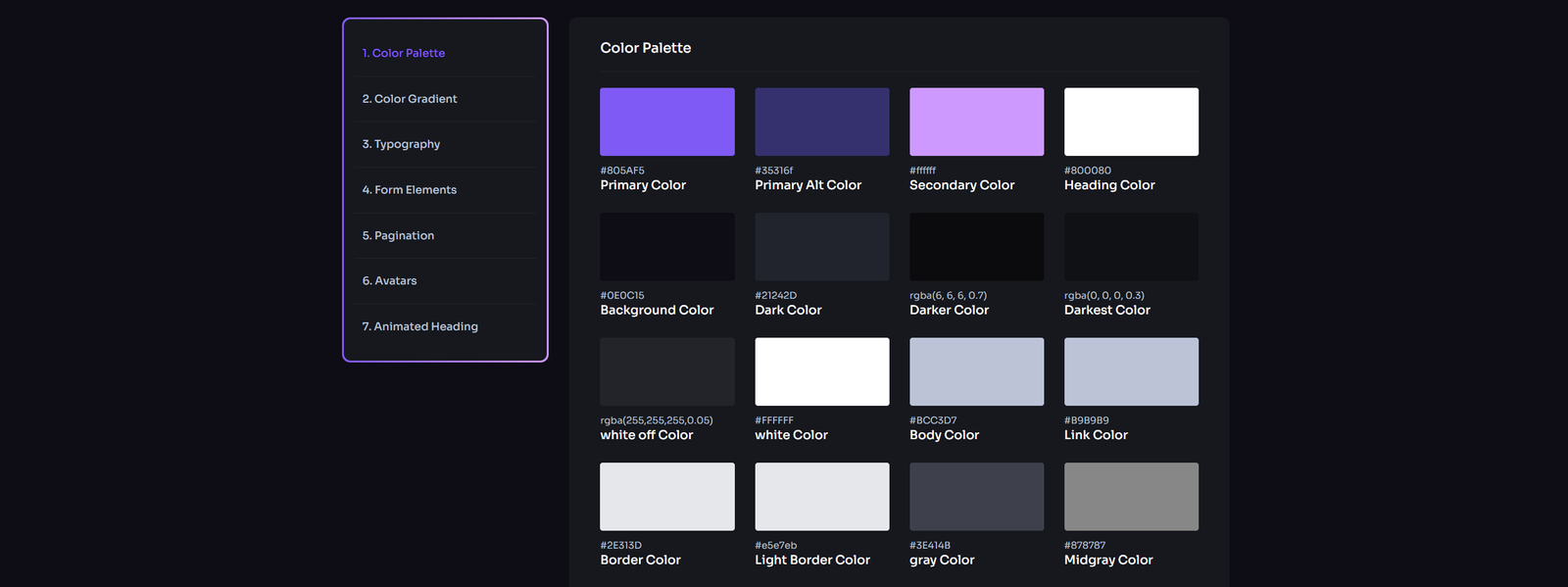
Style guide

Extend the default collapse behavior to create an Styleguide with the panel component see the code for better understanding

Images


                                                            <!-- Start Style Guide Area -->
                                                            <div class="rbt-style-guide-area rbt-utilize-area rainbow-section-gap-big">
                                                                <div class="container">
                                                                    <div class="row g-5">
                                                                        <div class="col-lg-3">
                                                                            <div class="rbt-default-sidebar sticky-top rbt-shadow-box rbt-gradient-border">
                                                                                <div class="inner">
                                                                                    <div class="content-item-content">
                                                                                        <div class="rbt-widget-details">
                                                                                            <nav class="onepagenav">
                                                                                                ..
                                                                                            </nav>
                                                                                        </div>
                                                                                    </div>
                                                                                </div>
                                                                            </div>
                                                                        </div>
                                                                        <div class="col-lg-9">
                                                    
                                                                            <div id="colorPalette" class="rbt-elements-area rbt-shadow-box mb--60">
                                                                                ..
                                                                            </div>
                                                    
                                                    
                                                                            <div id="gradient" class="rbt-elements-color rbt-shadow-box mb--60">
                                                                                ..
                                                                            </div>
                                                    
                                                    
                                                                            <div id="typography" class="rbt-elements-area rbt-shadow-box mb--60">
                                                                                ..
                                                                            </div>
                                                    
                                                                            <div id="formElements" class="rbt-elements-area rbt-shadow-box mb--60">
                                                                                ..
                                                                            </div>
                                                    
                                                                            <div id="pagination" class="rbt-elements-area rbt-shadow-box mb--60">
                                                                                ..
                                                                            </div>
                                                    
                                                                            <div id="avatars" class="rbt-elements-area rbt-shadow-box mb--60">
                                                                                ..
                                                                            </div>
                                                    
                                                                            <div id="animatedHeading" class="rbt-elements-area rbt-shadow-box mb--60">
                                                                                ..
                                                                            </div>
                                                                        </div>
                                                                    </div>
                                                                </div>
                                                            </div>
                                                            <!-- End Style Guide Area -->


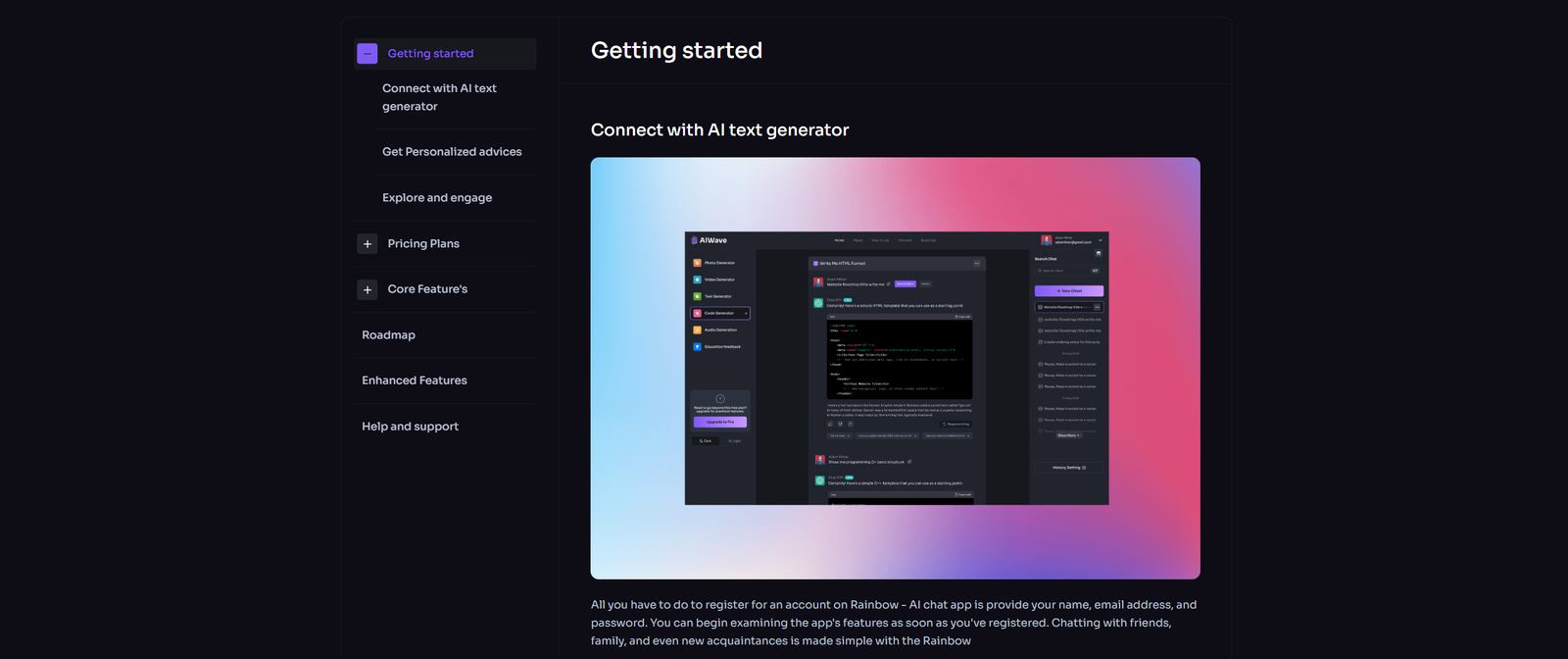
User Guide

You can create an User Guide with the panel component see the code for better understanding

Images


                                                            <!-- Start Style Guide Area -->
                                                            <div class="rbt-utilize-area rainbow-section-gap-big">
                                                                <div class="container">
                                                                    <div class="utilize-inner">
                                                                        <div class="row g-5">
                                                                            <div class="col-lg-3">
                                                                                <div class="rbt-default-sidebar sticky-top rbt-shadow-box">
                                                                                    ..
                                                                                </div>
                                                                            </div>
                                                                            <div class="col-lg-9 inner-content pl--0">
                                                                                ..
                                                                            </div>
                                                                        </div>
                                                                    </div>
                                                                </div>
                                                            </div>
                                                            <!-- End Style Guide Area -->


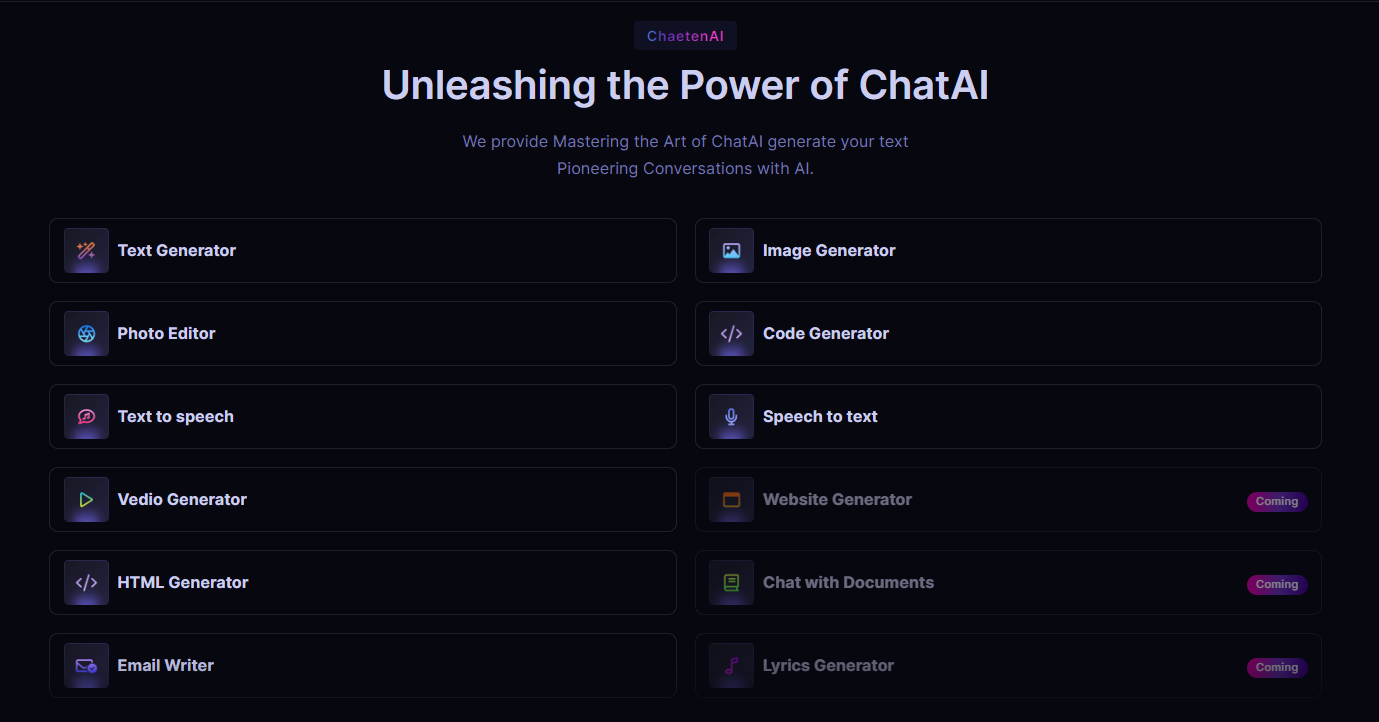
Toolsbar On Modal

You can create an Toolsbar On Modal with the panel component see the code for better understanding

Images


                                                                <div class="rainbow-generartor-section rainbow-section-gap">
            <div class="section-title text-center sal-animate" data-sal="slide-up" data-sal-duration="700" data-sal-delay="100">
                .....     .....     .....
            </div>
            <div class="genarator-section">
                <ul class="genarator-card-group">
                    <li>
                        <a href="text-generator.php" class="genarator-card">
                           .....     .....     .....
                        </a>
                    </li>
                    <li>
                        <a href="image-generator.php" class="genarator-card">
                           .....     .....     .....
                        </a>
                    </li>
                    <li>
                        <a href="image-editor.php" class="genarator-card">
                           .....     .....     .....
                        </a>
                    </li>
                    <li>
                        <a href="code-generator.php" class="genarator-card">
                            .....     .....     .....
                        </a>
                    </li>
                    <li>
                        <a href="text-generator.php" class="genarator-card">
                            .....     .....     .....
                        </a>
                    </li>
                    <li>
                        <a href="text-generator.php" class="genarator-card">
                            .....     .....     .....
                        </a>
                    </li>
                    <li>
                        <a href="vedio-generator.php" class="genarator-card">
                            .....     .....     .....
                        </a>
                    </li>
                    <li>
                        <a href="#" class="genarator-card disabled" tabindex="-1">
                            .....     .....     .....
                        </a>
                    </li>
                    <li>
                        <a href="code-generator.php" class="genarator-card">
                            .....     .....     .....
                        </a>
                    </li>
                    <li>
                        <a href="text-generator.php" class="genarator-card disabled" tabindex="-1">
                            .....     .....     .....
                        </a>
                    </li>
                    <li>
                        <a href="email-generator.php" class="genarator-card">
                            .....     .....     .....
                        </a>
                    </li>
                    <li>
                        <a href="#" class="genarator-card disabled" tabindex="-1">
                            .....     .....     .....
                        </a>
                    </li>
                </ul>
            </div>
        </div>


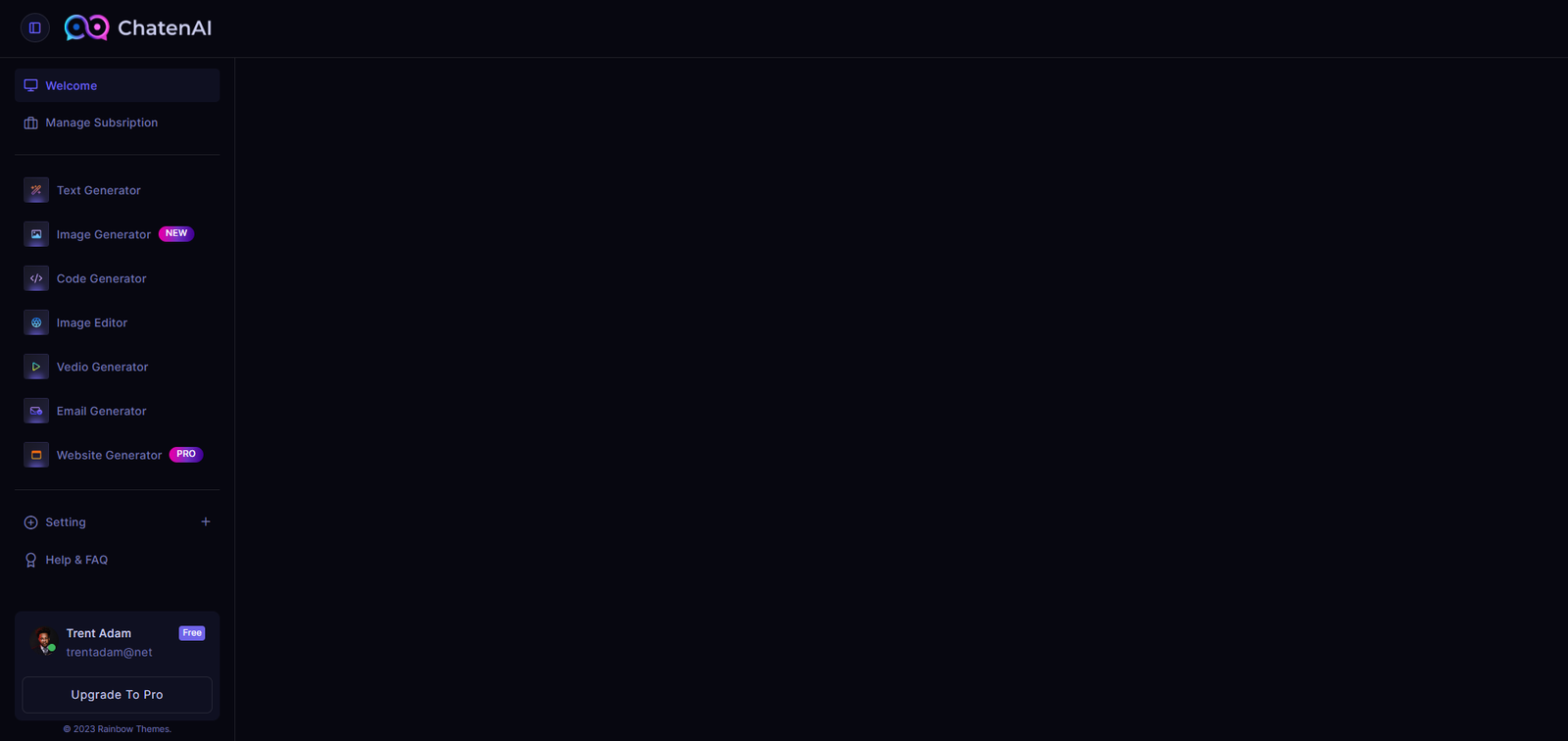
Left Sidebar

You can create an Dashboard Left Sidebar with the panel component see the code for better understanding

Sidebar Image

                                                        
                                                            <div class="rbt-left-panel popup-dashboardleft-section" style="display: block;">
                 <div class="rbt-default-sidebar">
                     <div class="inner">
                         <div class="content-item-content">
                             <div class="rbt-default-sidebar-wrapper">
                                 <nav class="mainmenu-nav">
                                    .....     .....     .....
                                 </nav>

                                 <div class="rbt-sm-separator"> </div>
                                 <nav class="mainmenu-nav">
                                    .....     .....     .....
                                 </nav>
                             </div>
                         </div>
                     </div>
                     <div class="subscription-box">
                         <div class="inner">
                            .....     .....     .....
                         </div>
                     </div>
                     <p class="subscription-copyright copyright-text text-center b4  small-text">© 2023  <a href="https://themeforest.net/user/rainbow-themes/portfolio">Rainbow Themes </a>. </p>
                 </div>
        </div>


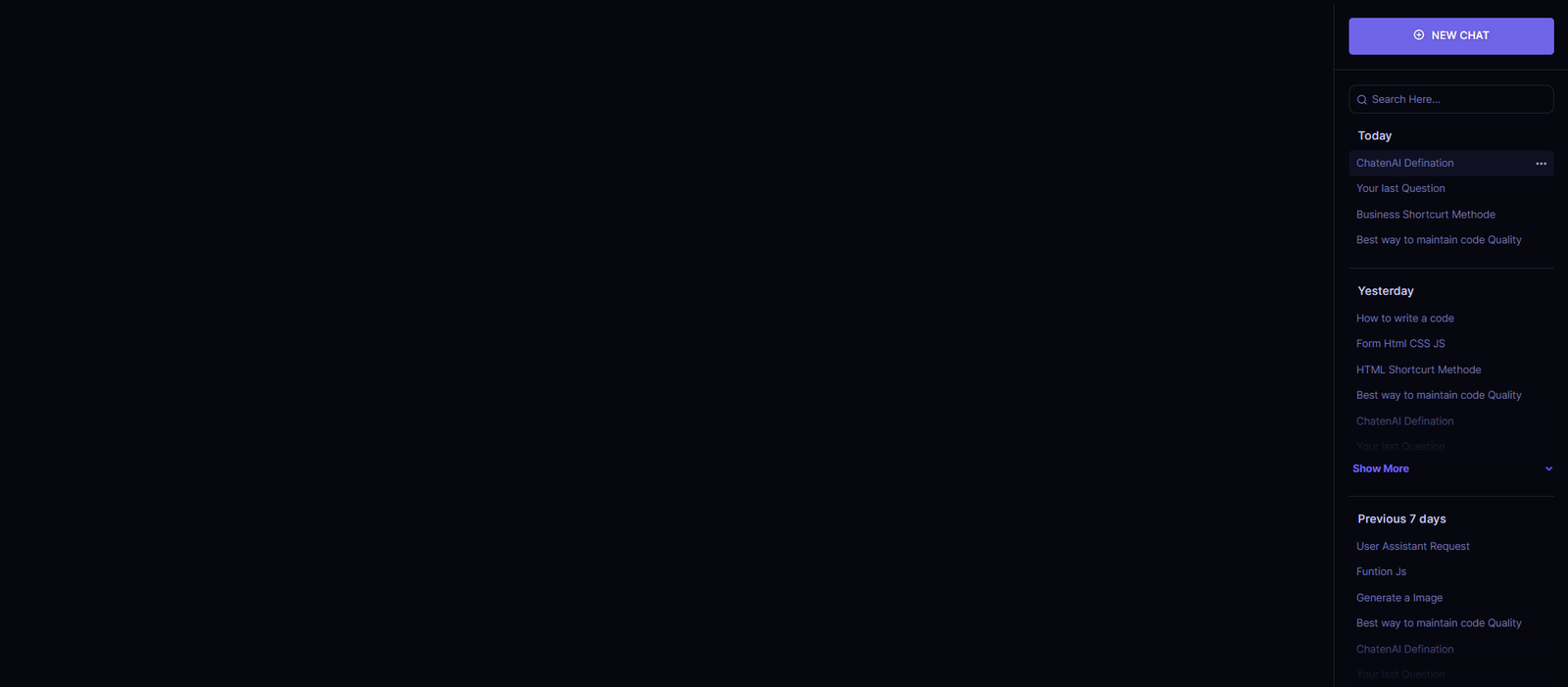
Right Sidebar

You can create an Dashboard Right Sidebar with the panel component see the code for better understanding

Sidebar Image

                                                        
                                                            <div class="rbt-right-side-panel popup-dashboardright-section">
                                                                <div class="right-side-top">
                                                                    <a class="btn-default bg-solid-primary" data-bs-toggle="modal" data-bs-target="#newchatModal">
                                                                        .....     .....     .....
                                                                    </a>
                                                                </div>
                                                                <div class="right-side-bottom">
                                                                    <div class="small-search search-section mb--20">
                                                                        .....     .....     .....
                                                                    </div>

                                                                    <div class="chat-history-section">
                                                                        <h6 class="title">Today</h6>
                                                                        <ul class="chat-history-list">
                                                                            .....     .....     .....
                                                                        </ul>
                                                                    </div>

                                                                    <div class="chat-history-section has-show-more">
                                                                        <h6 class="title">Yesterday</h6>
                                                                        <ul class="chat-history-list has-show-more-inner-content">
                                                                            .....     .....     .....
                                                                        </ul>
                                                                        <div class="rbt-show-more-btn">Show More</div>
                                                                    </div>

                                                                    <div class="chat-history-section has-show-more">
                                                                        <h6 class="title">Previous 7 days</h6>
                                                                        <ul class="chat-history-list has-show-more-inner-content">
                                                                            .....     .....     .....
                                                                        </ul>
                                                                        <div class="rbt-show-more-btn">Show More</div>
                                                                    </div>

                                                                    <div class="chat-history-section mb--100 has-show-more">
                                                                        <h6 class="title">November</h6>
                                                                        <ul class="chat-history-list has-show-more-inner-content">
                                                                            .....     .....     .....
                                                                        </ul>
                                                                        <div class="rbt-show-more-btn">Show More</div>
                                                                    </div>
                                                                </div>
                                                            </div>


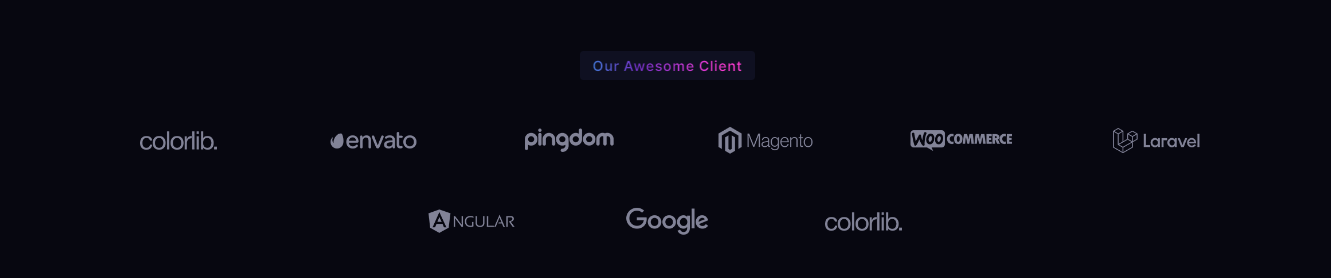
Clients

Showcase of clients logos or images. See below image and code for more information.

Images

                                                        
                                                            <div class="rainbow-brand-area rainbow-section-gap">
                                                                <div class="container">
                                                                    <div class="row">
                                                                        <div class="col-lg-12">
                                                                        .....     .....     .....
                                                                        </div>
                                                                    </div>
                                                                    <div class="row">
                                                                        <div class="col-lg-12 mt--10">
                                                                            <ul class="brand-list brand-style-2">
                                                                        .....     .....     .....
                                                                            </ul>
                                                                        </div>
                                                                    </div>
                                                                </div>
                                                            </div>


Footer Style

Welcome to ChatenAI Footer You can select any footer & customize easily and build your website.

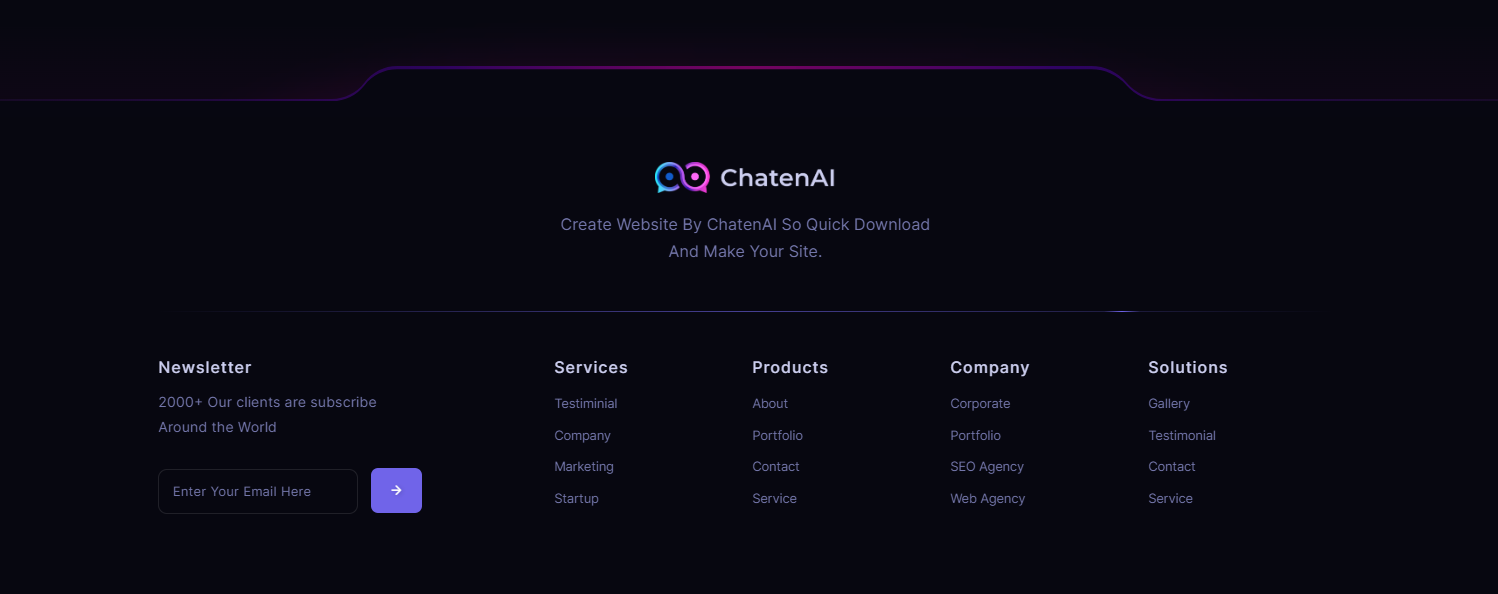
Footer Default

Awesome Footer styles. See below image and code for more information.

Images


                                                            <footer class="rainbow-footer footer-style-default footer-style-3 position-relative">
                                                                <div class="chatenai-separator has-position-top">
                                                                    
                                                                </div>
                                                                <div class="footer-top">
                                                                    <div class="container">
                                                                            <div class="row justify-content-center mb--30">
                                                                                .....     .....     .....
                                                                            </div>
                                                                        </div>
                                                                        <div class="separator-animated animated-true mt--50 mb--50"></div>
                                                                        <div class="row">
                                                                            <div class="col-lg-4 col-md-6 col-sm-12 col-12">
                                                                                .....     .....     .....
                                                                            </div>
                                                                            <div class="col-lg-2 col-md-6 col-sm-6 col-12">
                                                                                .....     .....     .....
                                                                            </div>
                                                                            <div class="col-lg-2 col-md-6 col-sm-6 col-12">
                                                                                .....     .....     .....
                                                                            </div>
                                                                            <div class="col-lg-2 col-md-6 col-sm-6 col-12">
                                                                                .....     .....     .....
                                                                            </div>
                                                                            <div class="col-lg-2 col-md-6 col-sm-6 col-12">
                                                                                .....     .....     .....
                                                                            </div>

                                                                        </div>
                                                                    </div>
                                                                </div>
                                                            </footer>


Sources and Credits

We've used the following fonts, free icons and plugins as listed:

  • PHP
  • SCSS
  • Google Fonts
  • Feathericons Icon fonts
  • Swiperjs Slider
  • Magnific Popup
  • Animate.css
  • jQuery
  • Waypoints Js
  • Isotop
  • odometer Counter Up
  • Masonry Activation
  • Sal Animation
  • easypie
  • jquery one page nav
  • Bootstrap Select

Support

Thank you for become a part of us. If you have any query, suggestion and complain. Contact us anytime. If you have any questions that are beyond the scope of this documentation, please feel free to email us via our Support mail : Support

Change Log

Our team never stops Improving, bug fixes, and improvements. See What's New. We recommend you to read the changelog for every update.

20 August 2024

Version 1.0.0 release

1.0.0

NewTheme release

28 August 2024

Version 2.0.0 release

2.0.0

AddedLight Mode + Dark Mode Switcher for the Entire Website

AddedStyle Guide

AddedBlog Page

AddedBlog Details Page

AddedContact Page

AddedTeam & Roadmap Page

AddedHow to Use Page & Also

AddedPrivacy Policy Page

Still stuck? How can we help?

If you like our product. Please Rate Us

If you need the template customization or custom development services please contact us.

Email Us

ChatenAI

© 2024 All Rights Reserved by Pixcels Themes